
Key Features
- Targeted Outreach: Calls are made to users from predefined lead groups.
- Automated or Manual Calling: Supports both automated dialing and manual agent-initiated calls.
- Lead Group Management: Allows segmentation of users based on criteria such as demographics, purchase history, or past interactions.
- Call Scheduling: Enables scheduling of calls to optimize engagement times.
- Performance Tracking: Monitors call success rates, duration, and outcomes.
- Integration with Agent Metrics: Tracks agent efficiency within campaigns.
Usage
Accessing Agent Campaigns
How to use
You need to know first that campaigns use lead group to target and make outbound calls for So To start with creating campaigns you need to first create a lead group So let’s walk the steps on how to create a lead Group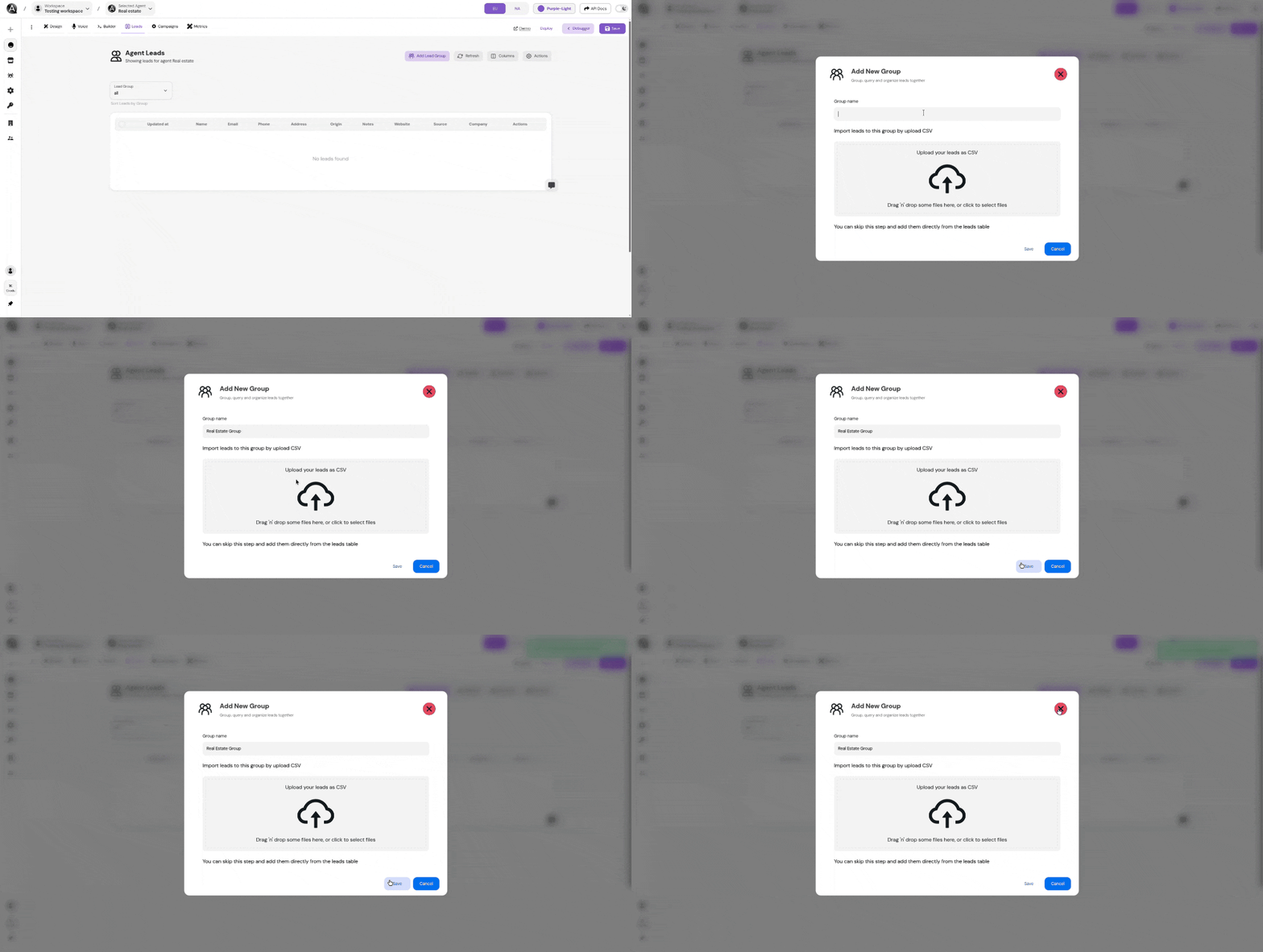
Now that you have a lead group you can create a campaign to make outbound calls to the leads in the lead group.
Campaign Call analysis summary prompt
Set the prompt that the agent will do immediately after the call ends.
Customizing Campaigns
Users can customize the campaigns based on their business needs:Define Campaign
Define new Campaigns is very simple you only have to set the following parameters:
- Campaign name: The name of the campaign
- Campaign Lead Group: This is the lead group name of the users to make outbound calls to.
- Campaign Concurrency slots: This is the maximum number of outbound calls that the agent can handle.
- Campaign delay between each call: This is the delay between each call.
- Campaign Initial prompt: This is the message to start the call with.
- Campaign Call analysis summary prompt: This is prompt that the agent will do immediately after the call ends.
- Campaign Post Call Metrics: This is the metrics used to indicate the campaign statistics.